
Build a Safe nftables Host Firewall Baseline
nftables filters network traffic in the Linux kernel. This guide demonstrates how to inspect the current rules and stage a small host-filter policy. The example is a template for an isolated test VM, not a universal production firewall; an incorrect default-drop policy can cut off SSH and other required traffic.
Identify the Firewall Manager and Current Rules
Read FirstCheck whether nftables, firewalld, UFW, Docker, Kubernetes, or a configuration agent owns the active rules. Do not manage the same ruleset independently from multiple tools. Save a protected copy for review and confirm you have console or out-of-band access before firewall changes.
sudo nft list rulesetsystemctl is-active nftables firewalld ufw 2>/dev/nullsudo nft list ruleset > "$HOME/nft-ruleset-before.txt"❯ View Expected Console Output
table inet filter { chain input { type filter hook input priority filter; policy accept; }}Write a Policy for a Dedicated Test Host
Policy DesignDecide what inbound services the host needs, which management networks may reach it, whether IPv6 is enabled, and what ICMP/ICMPv6 traffic operations require. Replace documentation CIDRs and port numbers with the exact approved values. This sample accepts loopback, established connections, ping, and SSH from a documentation-only IPv4 management subnet.
table inet host_filter { chain input { type filter hook input priority filter; policy drop; iifname "lo" accept ct state established,related accept ip protocol icmp accept meta l4proto ipv6-icmp accept ip saddr 192.0.2.0/24 tcp dport 22 ct state new accept }}❯ View Expected Console Output
This example allows new SSH connections only from 192.0.2.0/24.It does not include application ports or an IPv6 SSH management source.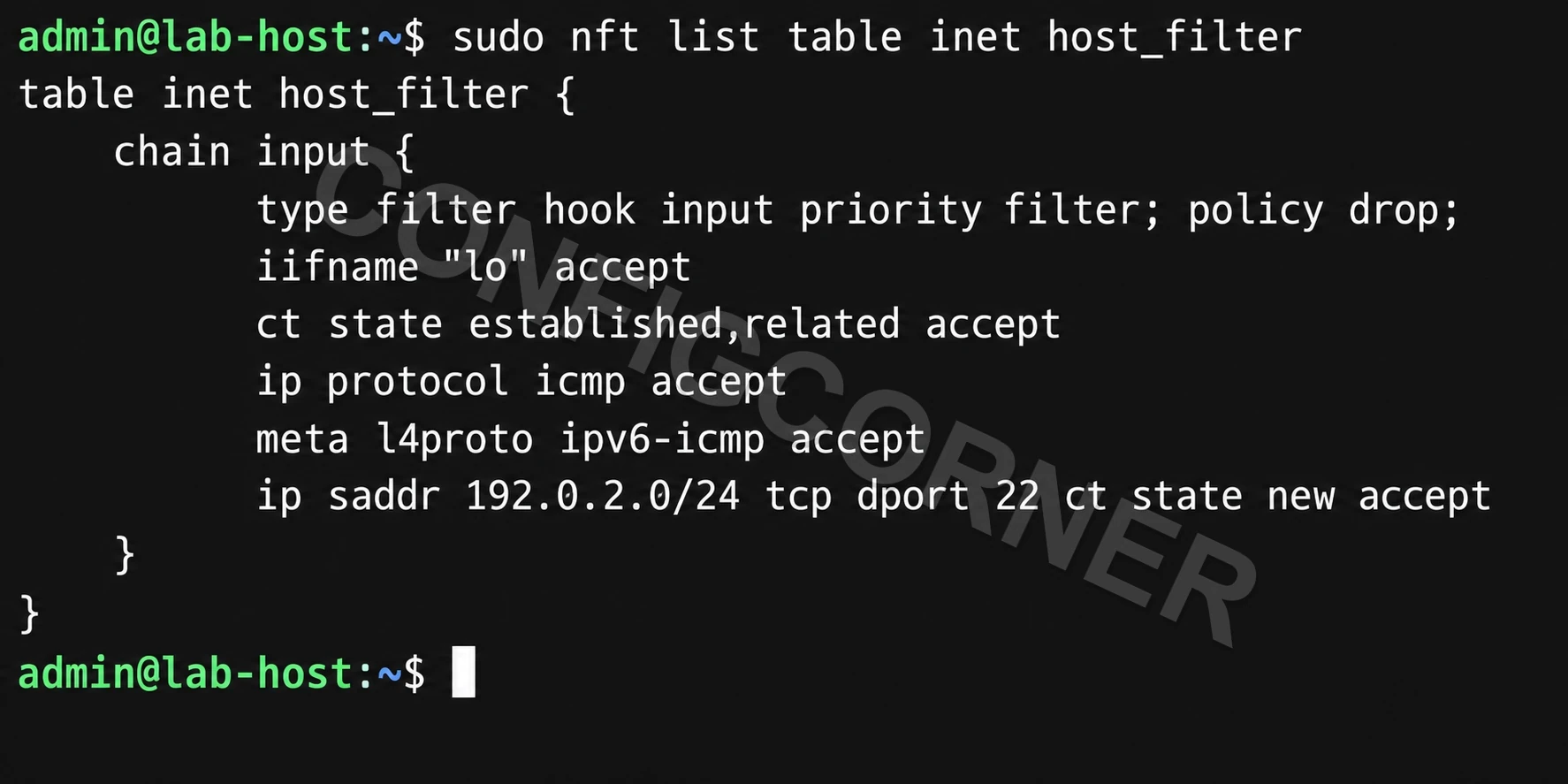
Terminal: Inspect the loaded input-chain policy and the explicitly allowed traffic.
Stage and Syntax-Check the Rules
No-Apply ValidationWrite the policy to a separate file and ask nftables to validate it without applying it. Syntax validation cannot prove that the policy permits every service this host needs; review the effective ruleset and test plan as well.
sudo install -m 0600 /dev/null /root/host-filter.nftsudoedit /root/host-filter.nftsudo nft --check --file /root/host-filter.nft❯ View Expected Console Output
No output and a zero exit status indicate the rules parsed successfully.Apply Only with Console Access and a Recovery Plan
Controlled ChangeFor a disposable test VM with console access, apply the staged file and immediately verify SSH, DNS, monitoring, application ports, IPv4, and IPv6 as required. On production, coordinate with the firewall owner, pre-stage an independently verified recovery plan, and follow the host’s existing firewall manager rather than layering a second policy.
# Test VM only, after confirming this dedicated table does not conflict:sudo nft --file /root/host-filter.nftsudo nft list table inet host_filtersudo nft list ruleset❯ View Expected Console Output
Confirm the expected chain hook, policy, and individual rules are loaded.Plan Persistence for the Installed Distribution
Boot BehaviorRuntime rules may not survive reboot. The nftables service and its configuration path vary by distribution and may conflict with firewalld or other managers. Inspect the local unit before enabling persistence and ensure the startup file contains the complete intended policy.
systemctl cat nftablessystemctl status nftables --no-pager❯ View Expected Console Output
Read the unit's ExecStart and configuration path before enabling it.Further reading: nftables manual.